
01 / Owner workspace
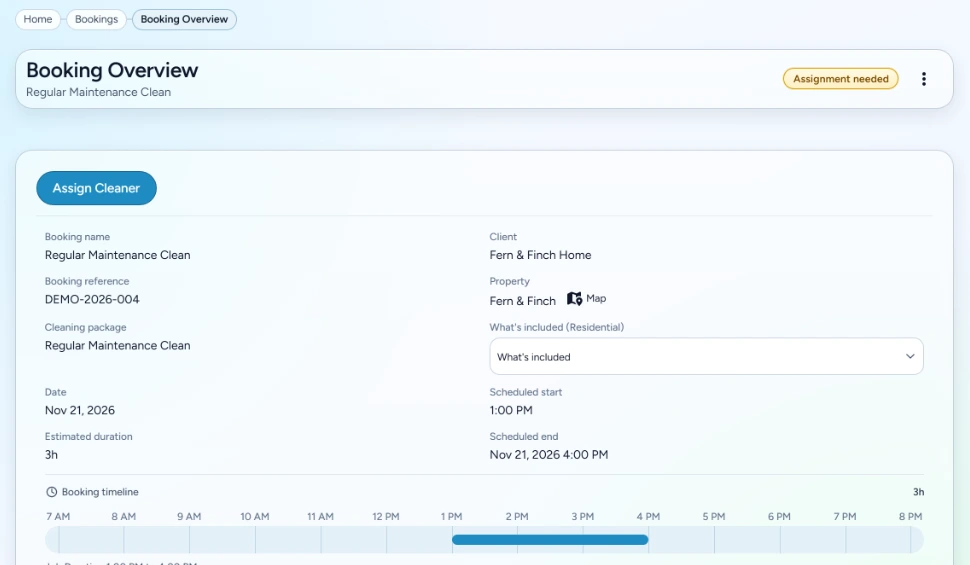
Spot jobs that need a cleaner.
See what needs assigning, review the service window and instructions, then send offers to the cleaners you choose.
 (open larger screenshot)
Cleaning company software
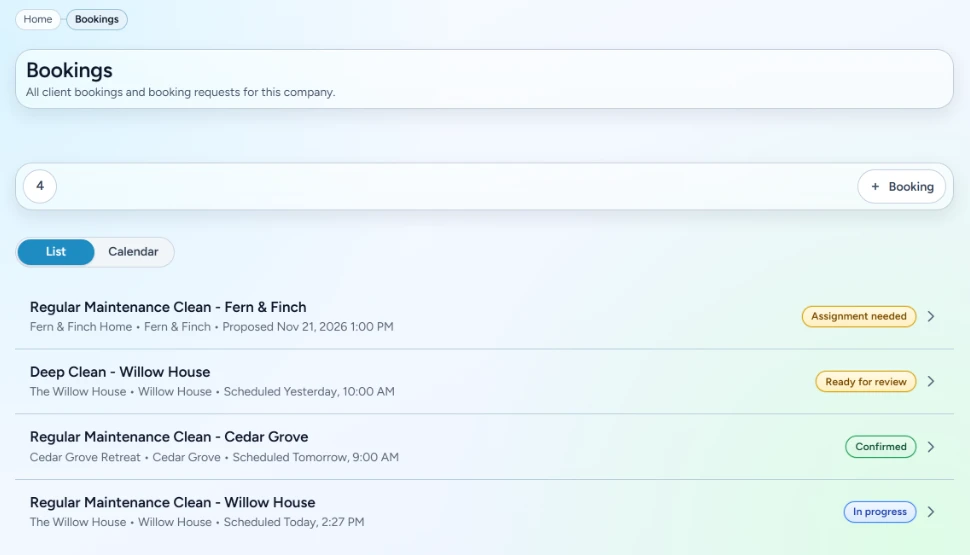
See which jobs need a cleaner, give your team a checklist they can use on their phones, and let clients review the work in their own portal.
 (open larger screenshot)
01 / Owner workspace
See what needs assigning, review the service window and instructions, then send offers to the cleaners you choose.
(open larger screenshot)
02 / Cleaner workspace
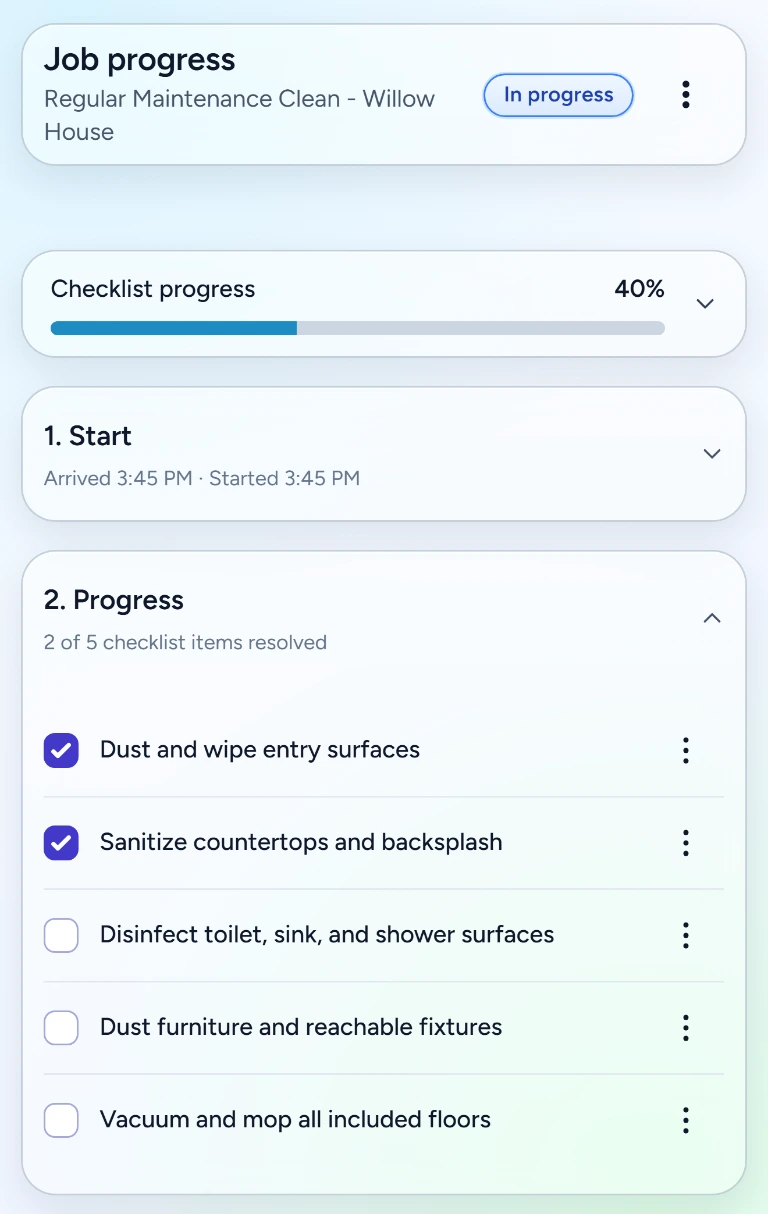
Cleaners can record when they arrive and start, check off tasks as they go, and submit the job for review.
 (open larger screenshot)
03 / Client portal
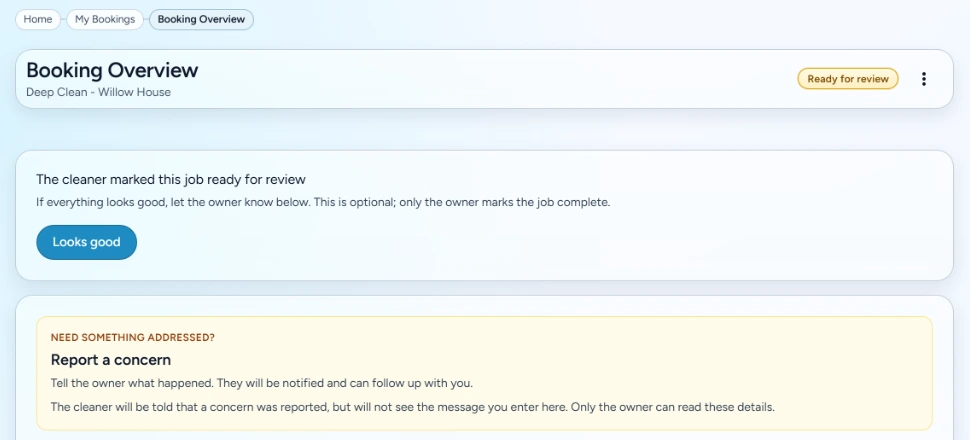
Clients can say it looks good or report a concern privately to the company. You decide when to close the job.
 (open larger screenshot)
Let clients request services, see estimates and booking updates, message your company, and give feedback.
Review client requests, propose service terms, and see scheduled jobs in a list or calendar.
Check weekly availability and time off, select a lead, and send cleaner offers with individual pay.
Set up cleaning packages, optional add-ons, prices, and checklists you can reuse.
Record arrival and start times, track shared checklist progress, and see which jobs are ready for review.
Keep client contacts, properties, and service instructions organized by booking and property.
Join the waitlist for launch updates and early-access information.